






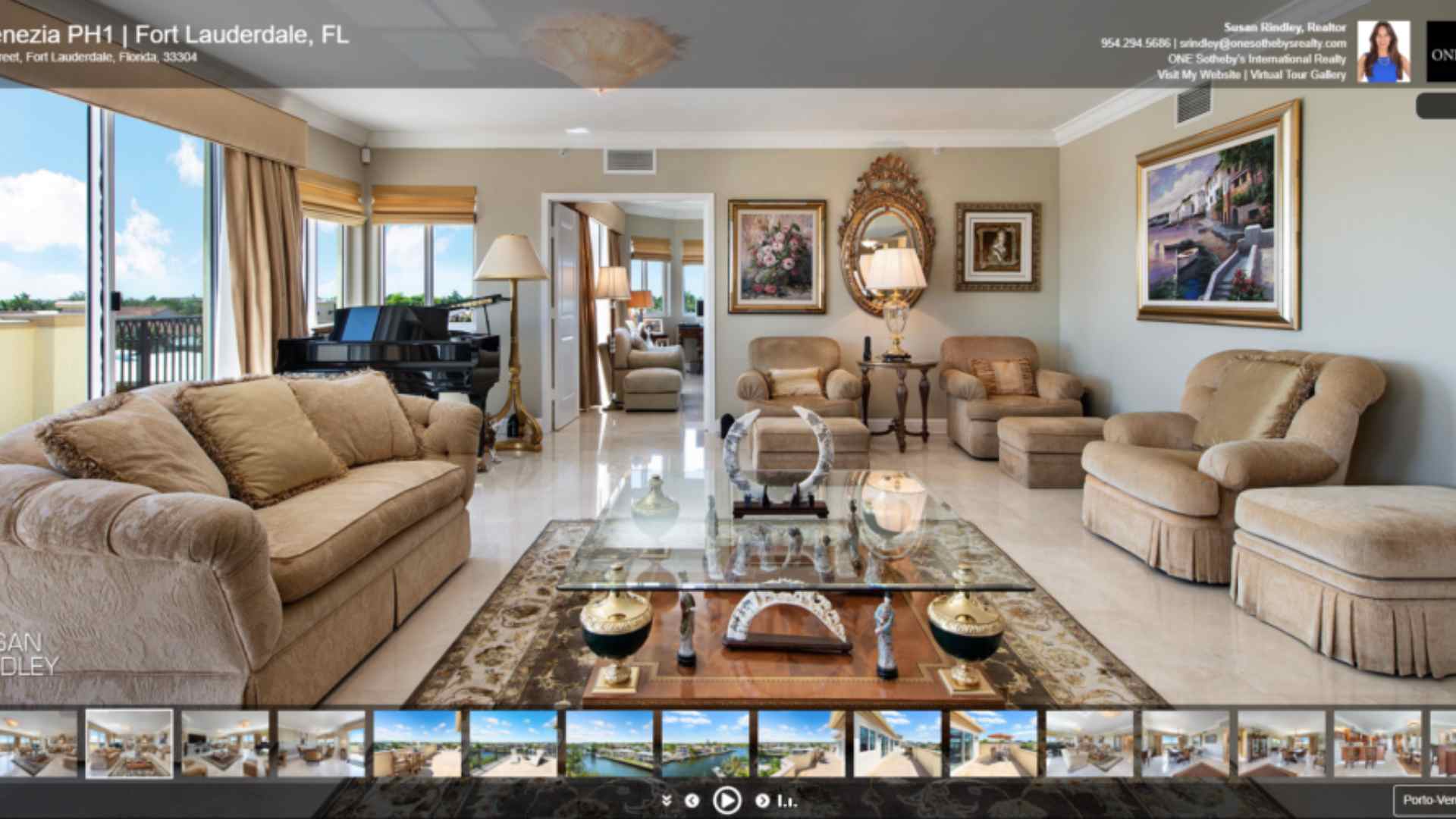
 RTV’s HTML 5 virtual tour player displays HD stills, HD panoramas, and 1080 HD full-motion video in one interactive media player at lightning-fast speeds! Now you can publish panoramas in a variety of formats—from cylindrical to 360 X 180 spherical, and even vertical panoramas—with breathtaking results. You’ll love our streaming HD video playback too!
 RTV makes downloading images easy, even for tech-challenged customers. Instead of downloading all the images in one large zip file that may confuse the customer, the Individual Download page displays a gallery of thumbnail images. The customer can simply click the download button to instantly download an image to their computer. For those with tech savvy customers, a .zip feature is also available.
 RTV’s new AudioPal allows you to choose from five of our text-to-speech professionals that will automatically narrate your virtual tours. AudioPal simply reads the text-based scene descriptions as the images transition in the Fusion player. This unique system works on a scene by scene basis or on a per tour basis for an overall summary. For further customization you can also upload a professional voice-over or insert individual scene-by-scene narrations of your choosing. Enjoy unlimited use of RTV’s AudioPal system for a small annual fee.
 Looking for a way to ‘WOW’ visitors and customers with your virtual tours? Fusion’s latest and greatest feature will grab their attention with something they’ve never seen before, an outer space fly in! AstroZoom lets you zoom in from outer space directly to any property or business. We’ll create a powerful, visually stunning HD video that starts with a view of Earth from space, and then slowly zeroes in on the listing or business. This feature is a special handmade add-on that only costs $10.00 per production.
 Instantly transform your long virtual tour link into a smaller, more manageable URL with TinyTURLS (Tiny Tour URLs). Each time you publish a new virtual tour production RTV’s Fusion system automatically generates a custom, short URL that points directly to your online virtual tour. Use our TinyTURLS feature when you’re looking to save space in any of your print ads, in MLS systems that require shorter URLs, or when tweeting a tour.
 Tired of the same song playing over and over on your virtual tour presentations? With RTV’s powerful Fusion virtual tour system, you can choose from a selection of your favorite tracks to play during a specific presentation. If the viewer is still watching your presentation when the first song completes, Fusion simply queues up the next song in line. At RTV, we’re all about keeping you ahead of the competition and your viewers engaged!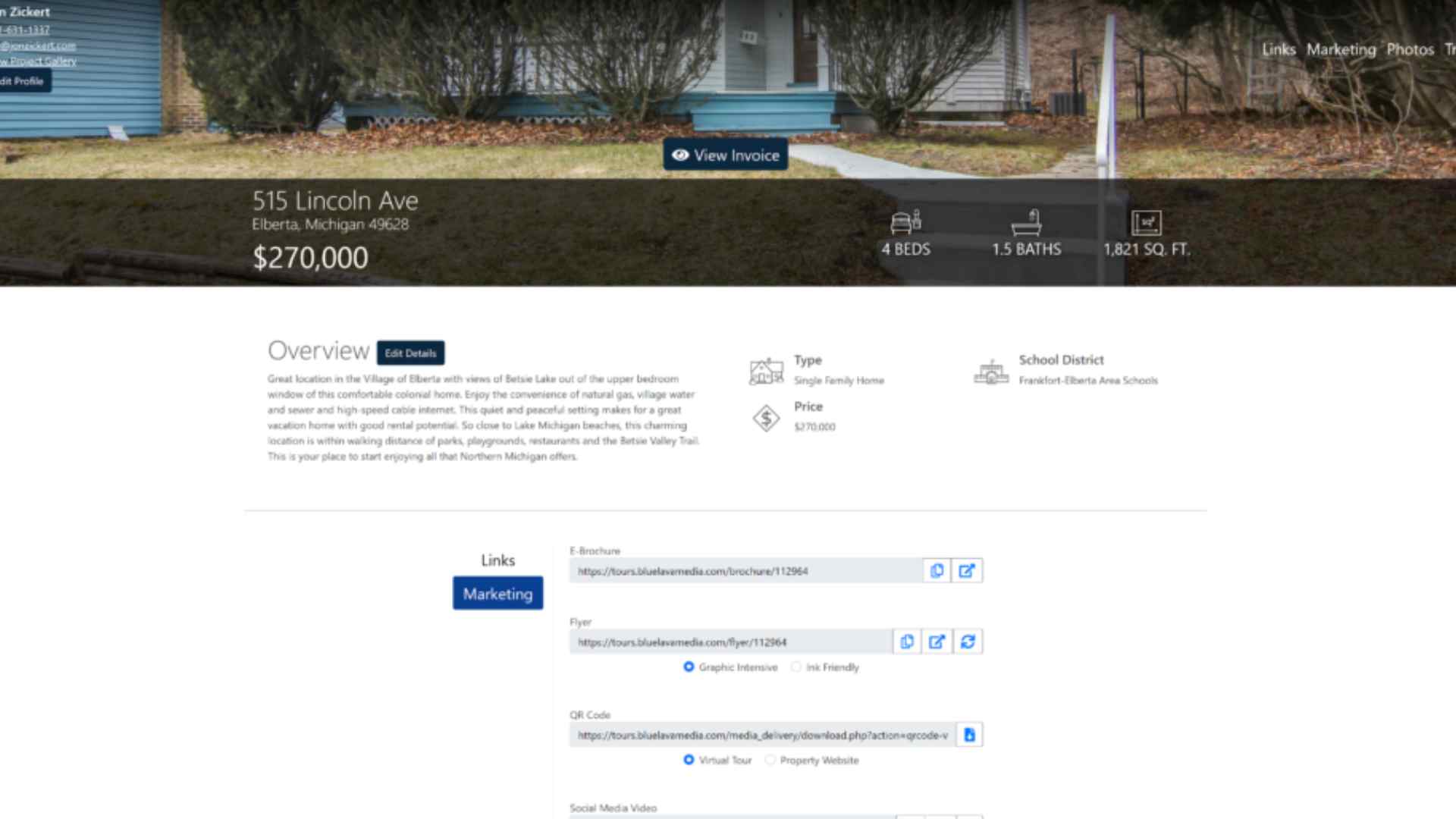
 RTV’s Delivery Site is an advanced and tech-savvy way to deliver your photos, links, virtual tours, property websites, social media videos, printable flyers, and other boost marketing products to your customers. The Delivery Site is a secure token-based URL that even allows your client to grab their Invoice, preview watermarked photos, and download their invoice. Finally, our robust Delivery Site takes a lot of the back-end work off your shoulders by giving your clients the ability to make edits to their profile, change listing information, add customers to the Weekly Seller’s report and more.
 Storefront enables real estate photographers, virtual tour providers, and aerial drone pilots to accept orders, book orders, and collect payment for jobs directly from their website for photography, virtual tour, aerial drone, and other media-related packages or services. We’ve made it incredibly simple; create your packages and your add-ons, set up your taxes, connect your bank account, and you’re ready to go! Storefront is 100% your brand, and it allows you to monetize all of your service offerings 24/7.
 RTV’s invoicing system allows you to establish your default billing terms with each of your customers. By default, everyone in your system is “Invoice.” Invoice means that you will be collecting the money from your customer outside of the RTV system. When set to Invoice, the customer does not have to pay to place an order or download their photos. All of your NEW customers are set to prepay. The Prepay setting means that the customer must pay to place an order in your Client Storefront. Finally, our system offers a “Pay to Download”. This selection allows you to collect payment before the customer can download their photos. Clients visit your website and place an order without submitting payment. When using this setting, your photos are watermarked so the customer can review the images before making the purchase and accessing the photos.
 RTV’s Pay to Download feature allows you to easily collect payment before the customer can download and access their photos. When you set the customer that you trust to our Pay to Download invoicing setting they are able to visit your Client Storefront and place an order without submitting payment. Once ready, you send them the photos using our powerful Delivery Site. From the Delivery Site your photos are watermarked so the customer can review the images before making the purchase and accessing your photography and deliverables.
 RTV’s real estate photography system allows you to send a preview of your work to your customers so they can preview before making the purchase. This “Pay to Download” feature of our system watermarks your photos to protect you and keeps access to your photography, virtual tours, property websites, social media videos, printable flyers, QR code, and other marketing materials restricted until the Invoice has been fully paid. Your work is fully protected and the watermarks are automatically removed once the Invoice has been paid in full.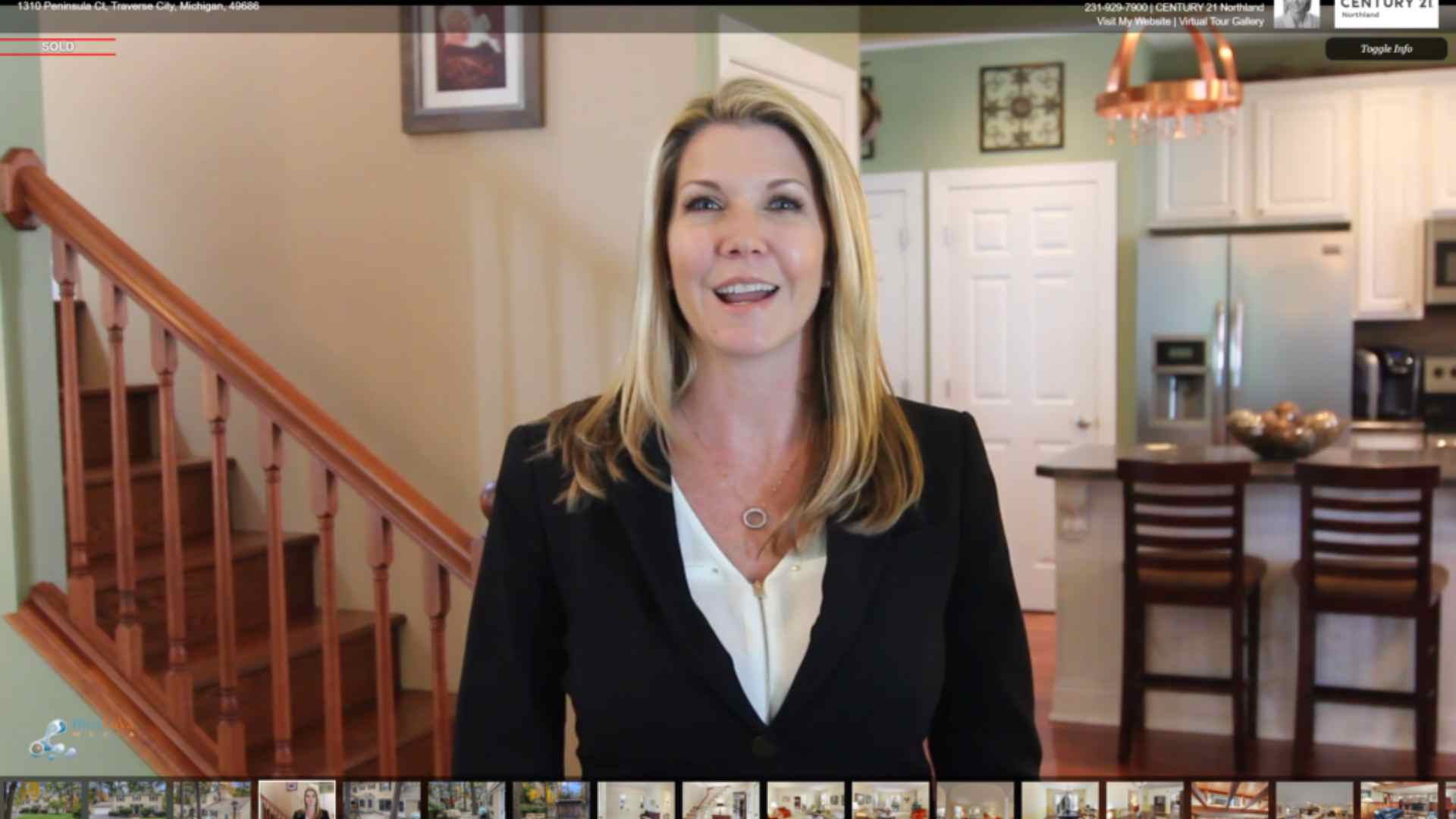
 Other platforms that support voiceover narration require you to use third-party software to create your narrations. With RTV’s advanced Cloud Recorder, you can simply use your computers built-in microphone and your internet connection to add high quality narrations to any of your online virtual tours. Use it scene by scene or as a tour overview!
 Do you have a preferred collection of royalty-free music clips that your clients love? Now you can save time by uploading your favorite audio files to your MyAudio library for future use. With RTV there’s no need to continually upload the same clip over and over again—we store your clips right in your profile for quick and easy access.
 It’s a proven fact that there’s no better ranking virtual tour on the market than one from RTV. RTV virtual tours are known to pull rank in the search engines on property address, business name and even in some cases agent or tour owner name! Fusion kicks it up a notch by giving you, the virtual tour provider, even more control on how your virtual tours will rank and on what keywords. Now you can easily modify underlying virtual tour META Data for your customers. That’s the amazing freedom that Fusion gives you. Not sure what to put into the fields? Don’t worry because our system will automatically input the most logical choices so your virtual tour productions will rank naturally in the search engines.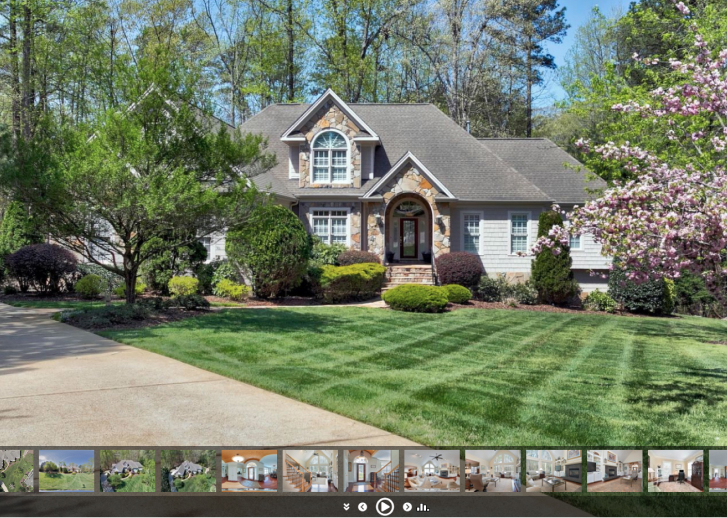
 Inputting MLS data, (Property Description, Beds, Baths, etc.) into your real estate productions has never been easier with RTV’s Fusion system. Yes, we have literally thought of everything! Input your listings MLS number, click a single button, and all of the pertinent listing data appears automatically in your tours amenity fields, including description, beds, baths, square footage, garage, neighborhood, price, and more! Each month our EasyMLS feature will save you hours of precious time inputting listing details. EasyMLS is yet another feature that sets RTV’s Fusion above the rest.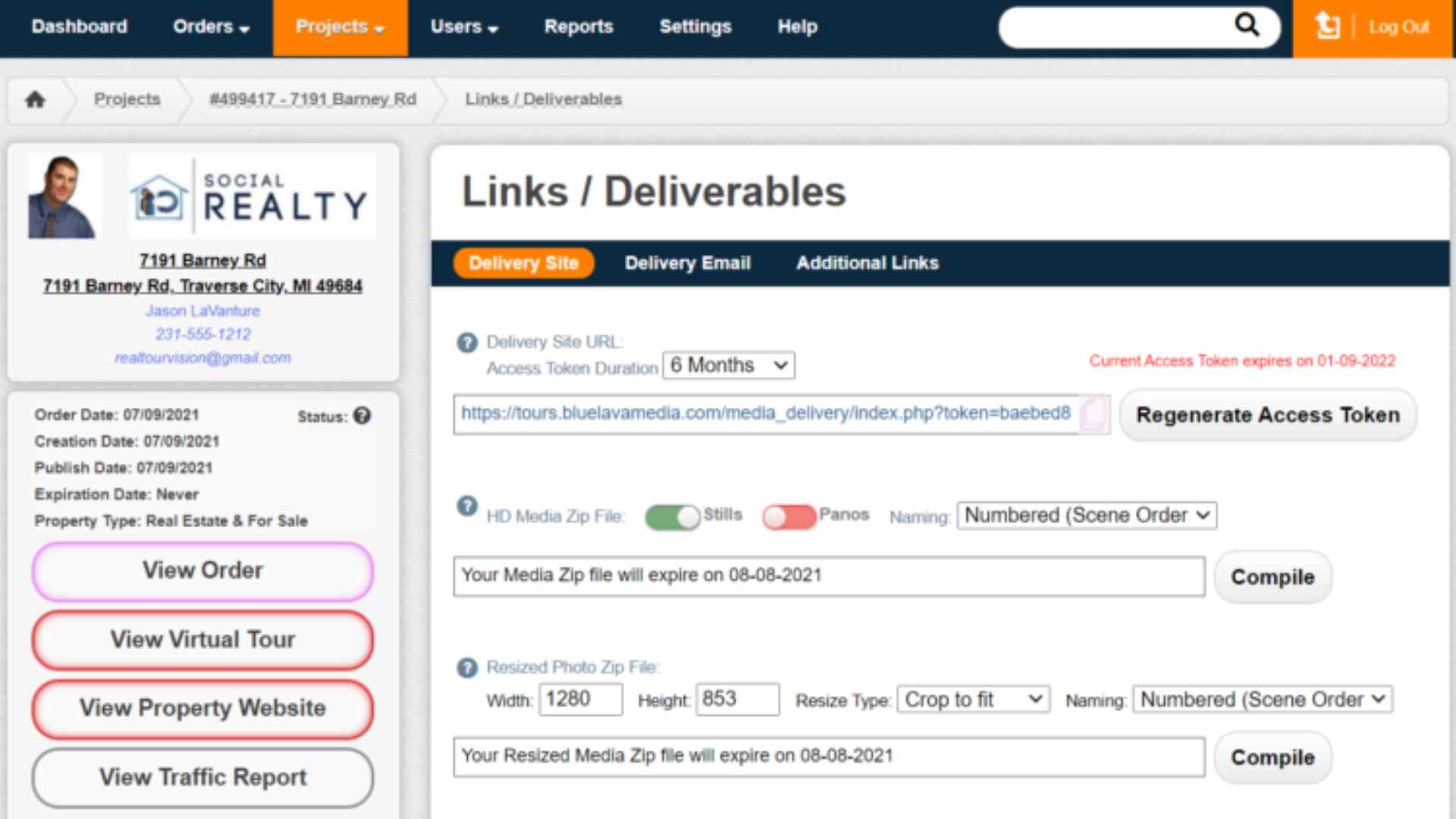
 Struggling with complex third-party software to make flyers is a thing of the past with Fusion’s built-in Auto Flyer Generator. Fusion comes preloaded with over twenty gorgeous flyer templates and layouts ready for your stunning photography to make them complete. Once your images are uploaded, simply activate the Auto Flyer Generator and viewers will then be able to print out a stunning ‘graphic intensive’ or ‘ink friendly’ flyer.
 Automatically rip any of your virtual tours to a QR code. Want a printable version? Simply enter the size of the QR code you would like to create and our Tour2QR creates a QR code of ANY size for you on the fly. Best of all, RTV’s HitStats will show your clients how many visitors have scanned the QR code each week on mobile devices.
 With most virtual tour systems you must pay either a monthly fee or a per-tour fee with no money coming back to you. With RTV however, when you refer new accounts our way, you’ll also earn extra income by helping RTV establish new national accounts, on-boarding new photographers, and converting “do-it-yourself” offices to the RTV virtual tour system. RTV pays you a generous 20% commission on all accounts that you bring in. Everything is transparent. You can login to your reseller dashboard to see all referred accounts, how much they’ve paid, and of course the commission amounts owed to you. If you have unapproachable offices using a DIY, this is your answer.
 RTV’s Fusion system is packed with four very powerful lead generation tools. Our favorite is Private Tour. Simply enable the Private Tour feature in your virtual tour manager and assign a password to the tour. Once enabled, virtual tour viewers will be prompted to input the password before gaining access. Your clients contact information will appear and the visitor will be required to reach out to your client for access. Private tour serves as a wonderful lead generation tool, as well as one more way to give tour owners peace of mind.
 Getting an email with a link to a virtual tour is nice, but getting a slick, well organized and graphically pleasing E-Brochure in your inbox is an experience. When any online viewer uses Fusion’s “send-to-friend” feature, the system will ask whether they’d like to send a plain email with a link to the tour, or the more robust HTML E-Brochure. It looks GREAT!
 Those of you in video production or property marketing have most likely spent time making a classy-looking video to post on YouTube or WelcomeMat—and you know this takes time, and money. With Fusion you’ll not only save money, you’ll also get high-definition video with unparalleled quality and fast, easy production. Once your virtual tour is finalized, the VideoRipper exports your entire production—stills, panoramas, video clips, music and scene-by-scene narration—into a single video file. Fusion will then automatically post the finished video file to your YouTube account, using your virtual tour description, title, and tags. You can also download the video file for posting to another site or for burning onto a DVD or CD. It’s the easiest video you’ll ever produce!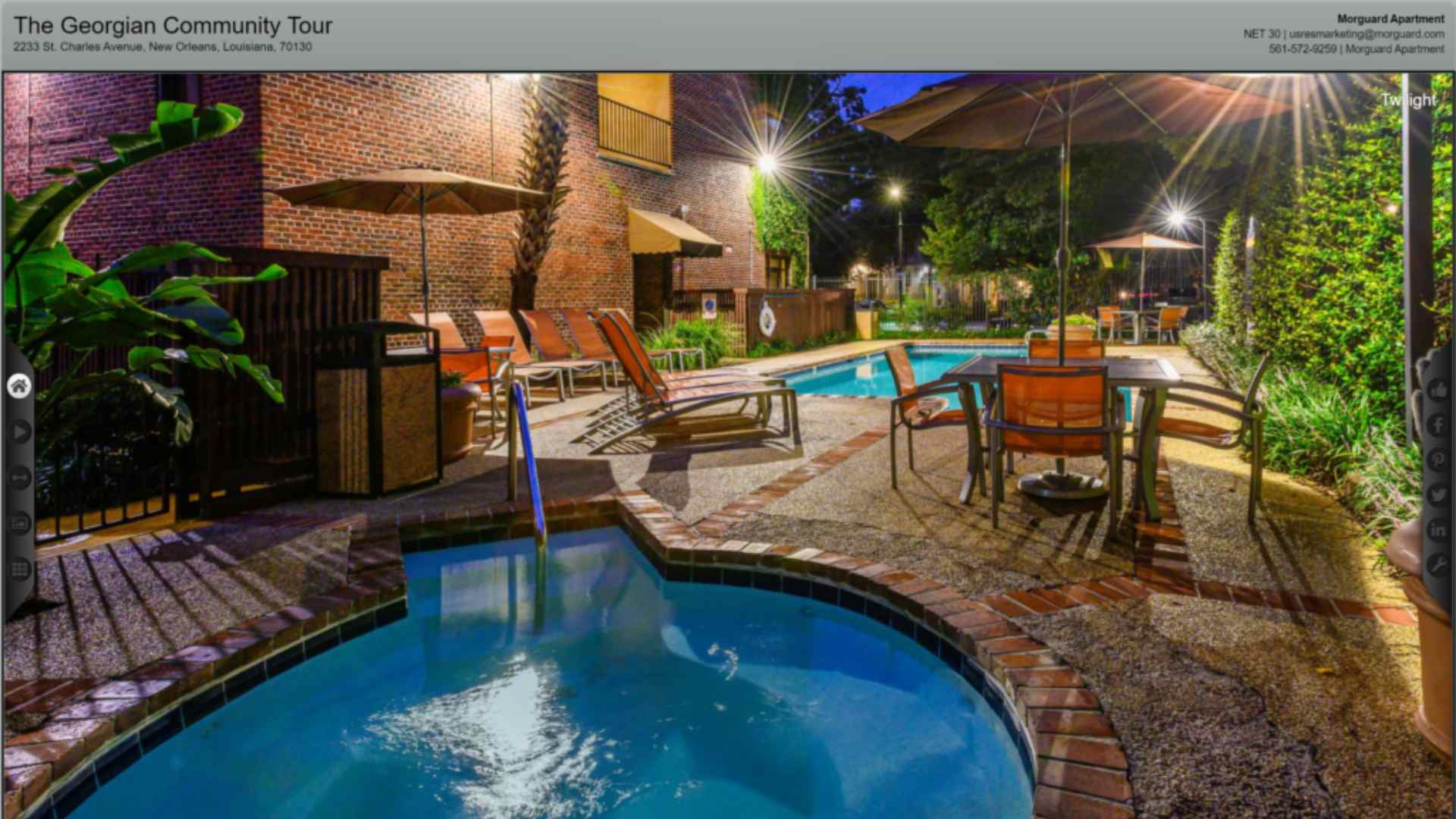
 Just like Tours2RSS, each virtual tour provider, owner, agent and brokerage is assigned their very own Map Widget to embed into any page of their website. Simply create a virtual tour, add tags with Tagit and check your map to find the tour. Website visitors can search your RTV Map Widget based on location, tour type (tags), price or any other criteria you’ve included. Since your clients virtual tours will be automatically mapped to their websites, you can lock them into using your brand more than ever before—because only RTV virtual tours show up on the RTV Map Widget. Private tours can easily be excluded from displaying on the map with the click of a button. See an RTV Map Widget
 Lead Grabber is great option to turn on that collects data from virtual tour viewers. When enabled, Lead Grabber prompts users for name, email, phone and comments before they’re able to preview the virtual tour. All data and leads are stored in your clients’ RTV online Toolbox, and can be exported at any time. Users are not required to input data to proceed.
 With all of the love for the “Like” button, it was only natural for us to integrate this behavior-based lead generator into Fusion. TourVibes allows for instant feedback by letting users click the “Like” button. Turn on TourVibes and start collecting contact information, comments, and more from visitors. TourVibes writes back to your database and keeps a downloadable log for importing into your favorite CRM.
 You’re going to love how RTV’s Fusion virtual tour system animates your HD still images. Our FreedomZoom gives you even more customization options—choose zoom-in or zoom-out, select starting and stopping points, or disable the feature completely. This feature easily allows you to highlight special features throughout the tour. Don’t want to take the time to choose each starting and stopping point? Let Fusion mix it up with our built-in Tour Shaker to completely randomize each still image scene.
 Fusion gives each virtual tour provider and their clients an individual RSS feed for their virtual tours. Use the Tours2RSS feed to automatically post each production to your website or blog without lifting a finger. Want to get fancy? Use the Tours2RSS feed to create an automatic HotSheet that gets emailed out to your clients after you complete a set number of new tours. Get social and connect your Tours2RSS feed to your HootSuite account to have each virtual tour you create automatically posted to your favorite social sites! Tour2RSS is available on the RTV provider level, the client/realtor level and also on the broker level. When used to its full potential, Tours2RSS is a HUGE time saver.
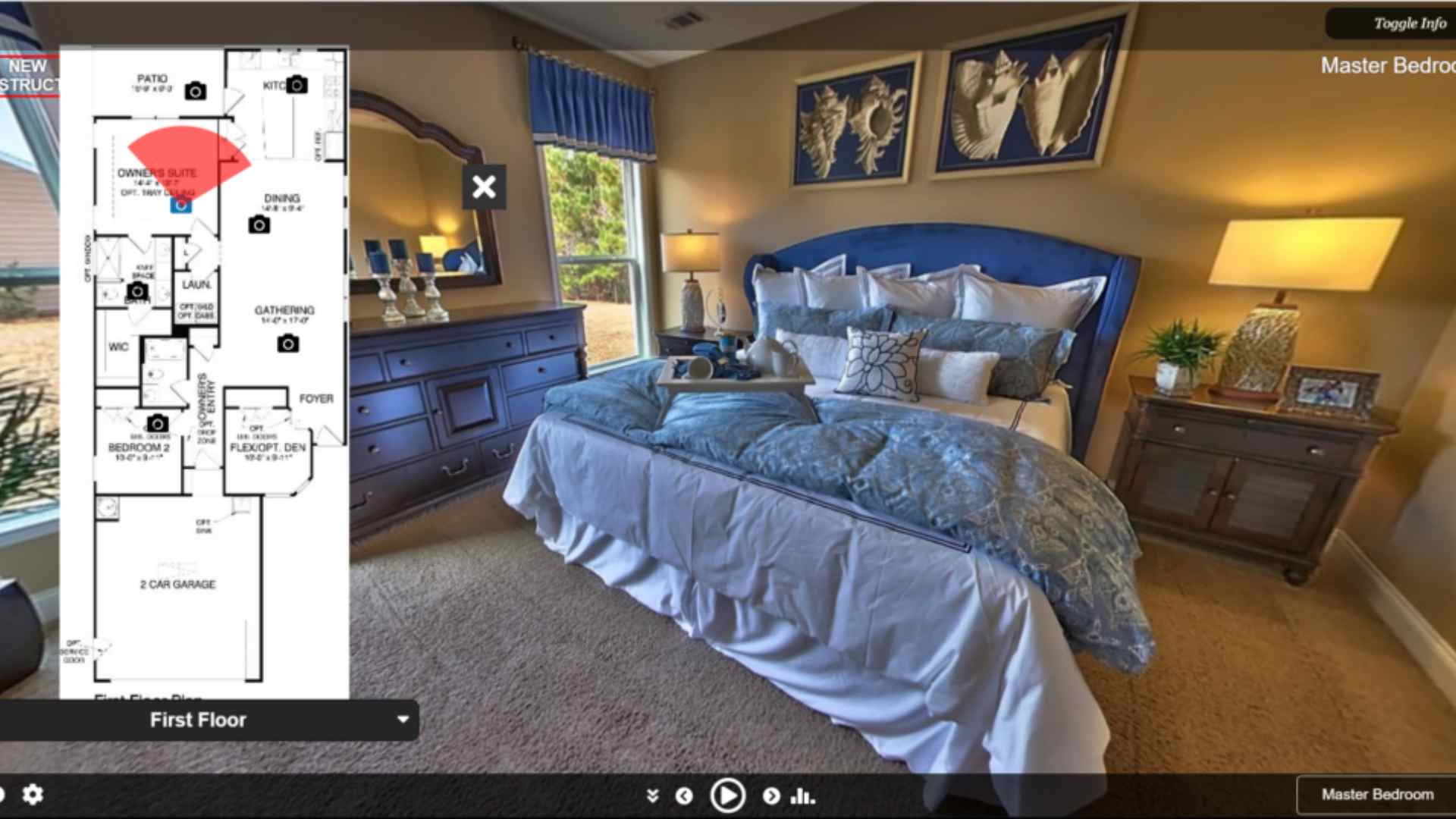
 RTV allows you to easily add Hotspots to your virtual tours allowing users to navigate from one scene to another. Upload your own Hotspot or use one of our many pre-defined hot spots for placement. Our Hotspot technology also features AudioSpots, InfoSpots, and VideoSpots. Enjoy this unique way to explore through your virtual tours.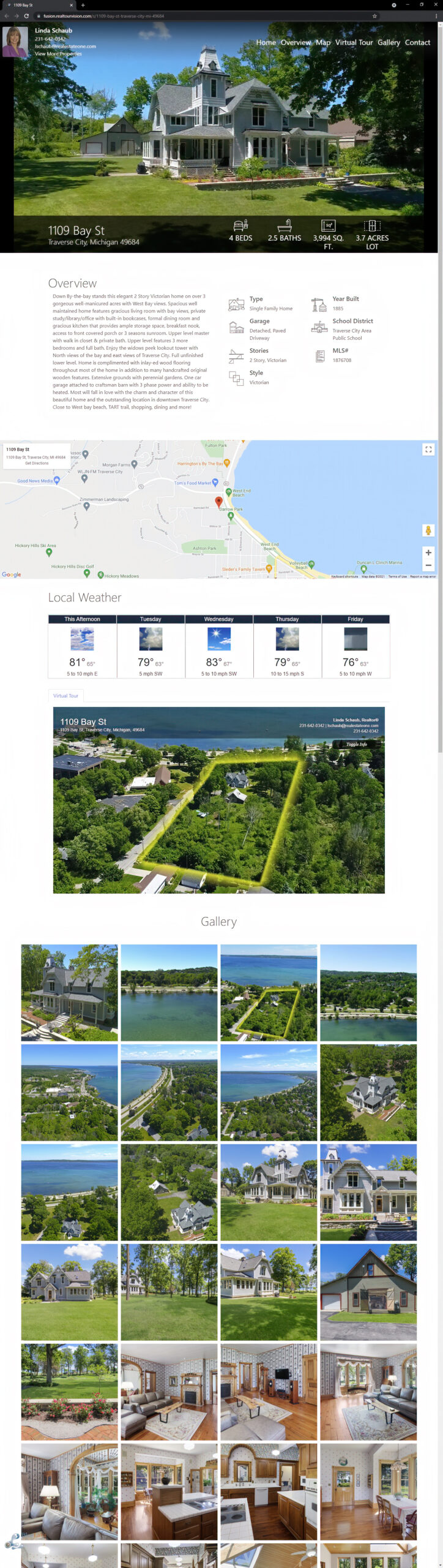
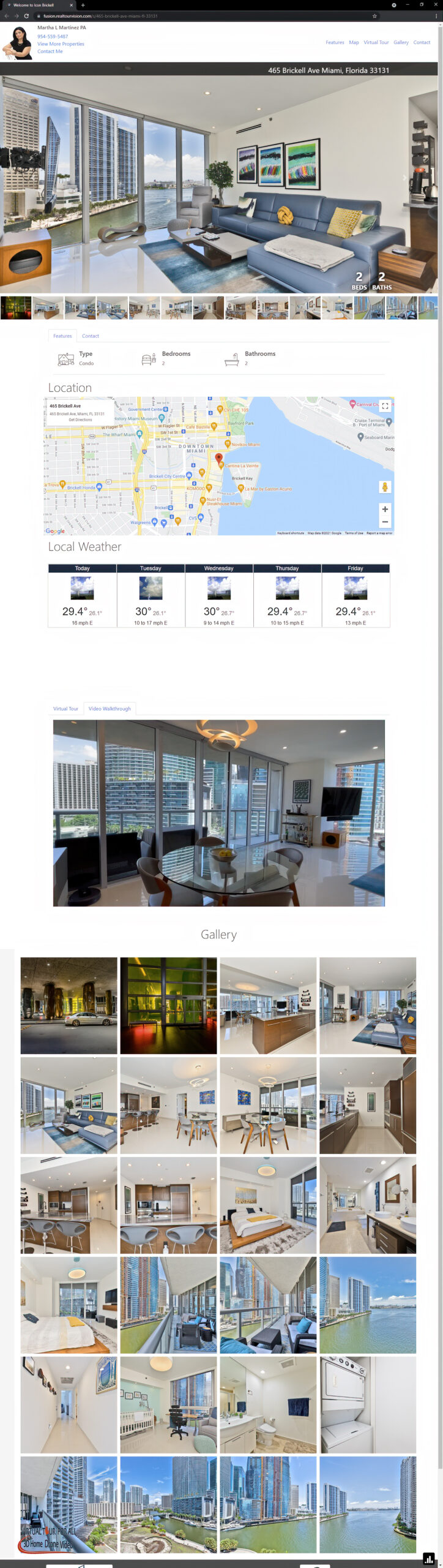
 Single Property Websites are a breeze with Fusion’s built-in Single Property Website Maker. We first check to see if your domain name is available. If it is, then you can purchase it directly though Fusion for a small, one-time fee. Once your domain name is registered we’ll automatically setup the forwarding and masking for you, and we’ll even setup a reminder for you to renew your domain name sixty days prior to its expiration the following year. A professional site in less than five minutes!
 Save time editing your virtual tours by using Smart Titles to quickly name your virtual tour scenes. As you begin to enter a scene title, RTV’s Smart Titles feature will pop up and supply a quick pick list of scene names that you have used before for you to choose from, such as Living Room, Master Bedroom, and more. You can also edit and modify your Smart Titles list to match your preferred titles.
 At the end of the day what you’re looking for is more time—to write proposals, to go after new clients, to reset, realign, and to refocus. With our white labeled Client Toolbox you can train your customers to make updates in a snap. They can log in and make quick edits, such as price changes, profile adjustments, image arrangement, and more. And while your customers are logged into their toolbox, they’re also able to order additional products and services from you! You have full control of what your clients can edit and access.
 Virtual tour galleries just got a lot more impressive with our Google Map-enabled MyGallery pages. When you create a new virtual tour, your MyGallery page, as well as your clients MyGallery page, will populate the new tour. When embedded into websites, these pages become a searchable Google Maps style page that will display the virtual tour inventory like never seen before.
 On most virtual tour hosting platforms, organizing dozens of still images, panoramas, and video clips after your initial upload is a lengthy process. However, within Fusion we’ve created a very simple drag and drop method that allows for rapid scene sorting. From your manager you’ll see all of your images and media on one screen. Simply click, drag and drop media from one position to the next. It’s fast, it’s easy and it’s only from RTV!
 With RTV’s advanced Tour Calendar scheduler and reminder system, you’ll never forget to invoice a client for an annual fee, renew your syndication, or renew your single property websites. Simply set it and forget it—until our system reminds you, of course! By default, your Tour Calendar is set to remind you sixty days prior to an event.
 RTV’s new Smart Profiles will save you hours of time each month! Each client’s profile now remembers tour speed preferences, color scheme, theme layout, preferred flyer layout, button preferences, and much more! With RTV, there’s no publishing a virtual tour and referring back to a check list for each customer just to finalize their virtual tour. Simply complete the production and deliver the links!
 Creating virtual tour presentations for multiple agents or teams is easy with RTV’s Fusion system. Simply click on our Co-Agent button under the edit screen to add a second agent to the listing, and our media player will elegantly fade in and out from one agent to the next, displaying each individuals photo and contact information.
 Fusion takes virtual tour traffic reporting to the next level by providing you and your clients with more data than ever. We now feature a full breakdown of traffic and stats by day, month, quarter, and year. You’ll see the number of times your virtual tour has been emailed, downloaded, shared on social sites, and viewed on a mobile phone. Fusion also tracks the number of times various tools are used, like the E-Flyer and the Printable Brochure. Now, you can log into your tour manager and access a virtual tour’s entire history in just one click. HitStats can even be set by you to email out weekly or monthly to your clients! All reports are automatically sent to your customers from YOUR email address.
 Tagit is a fantastic feature that gets your virtual tours more views from the RTV virtual tour portal (www.RealTourFusion.com), Google, YouTube and from your website. Tagit allows you to tag your virtual tours with additional pertinent information about the tour owner, tour type, business, location and any other distinctive features that will help RTV properly categorize and tag your virtual tour for the search engines. These same tags are used to automatically populate the tag box under the description of your YouTube video.
 Fusion has dozens of pre-loaded status banners that generate excitement and a call to action from online shoppers. When you or your client logs into the tour manager and uses the Status Banner feature to mark listings as SOLD, PRICE REDUCED, SALE PENDING, JUST LISTED and more that particular Status Banner will elegantly appear in the upper right corner of your virtual tour window during virtual tour playback. Status Banner changes will also trigger our Tour Follow system to notify tour followers of status changes.
 RTV is thrilled to offer our all-new MyBrand private label feature. Now every virtual tour you create will come directly from your own custom domain! It’s your virtual tour business, your SEO power, and your personal brand—all white labeled and powered by RTV.
 Fusion is the very first virtual tour solution that allows you to create photography and virtual tour packages inside your Tour Manager. When your clients log into your private branded dashboard, they can choose from many available packages and add-ons that you have pre-created for them. They can then check out using your connected PayPal account or you can have it setup so they create an invoice. All orders are instantly dispatched to you for scheduling and delivery.
 Fusion has streamlined the management of your 1099 or hired virtual tour photographers. We’ve taken all the innovations from our powerful national Tour Track program and packaged them into your Photographer Manager panel. Now you can easily add new photographers, assign and schedule jobs, and monitor their progress as they deliver the finished productions to your protected account.
 “Sprechensie Deutsch?” Fusion does, too! In fact, RTV’s Fusion system is ready to talk to you, and online visitors in any language you choose. Our Multi-Language Support Engine lets anyone in the world enjoy the benefits of RTV’s Fusion system. “Banzai!”
 How would you like to get paid for photography jobs just by being a part of the RTV network? RTV is constantly acquiring new national accounts looking for a professional photography service. Our new TourTrack 2.0 system puts these job dispatches directly into your virtual tour manager for you to pick up, fulfill and get paid on.
 Fusion’s Image Delivery Engine is built directly into your virtual tour delivery email. When you’re ready to send your links to your customer, simply check the box next to the Image Delivery Engine and along with the virtual tour links Fusion will send your client a link to download the high-resolution images for print. No need for FTP or third party file share.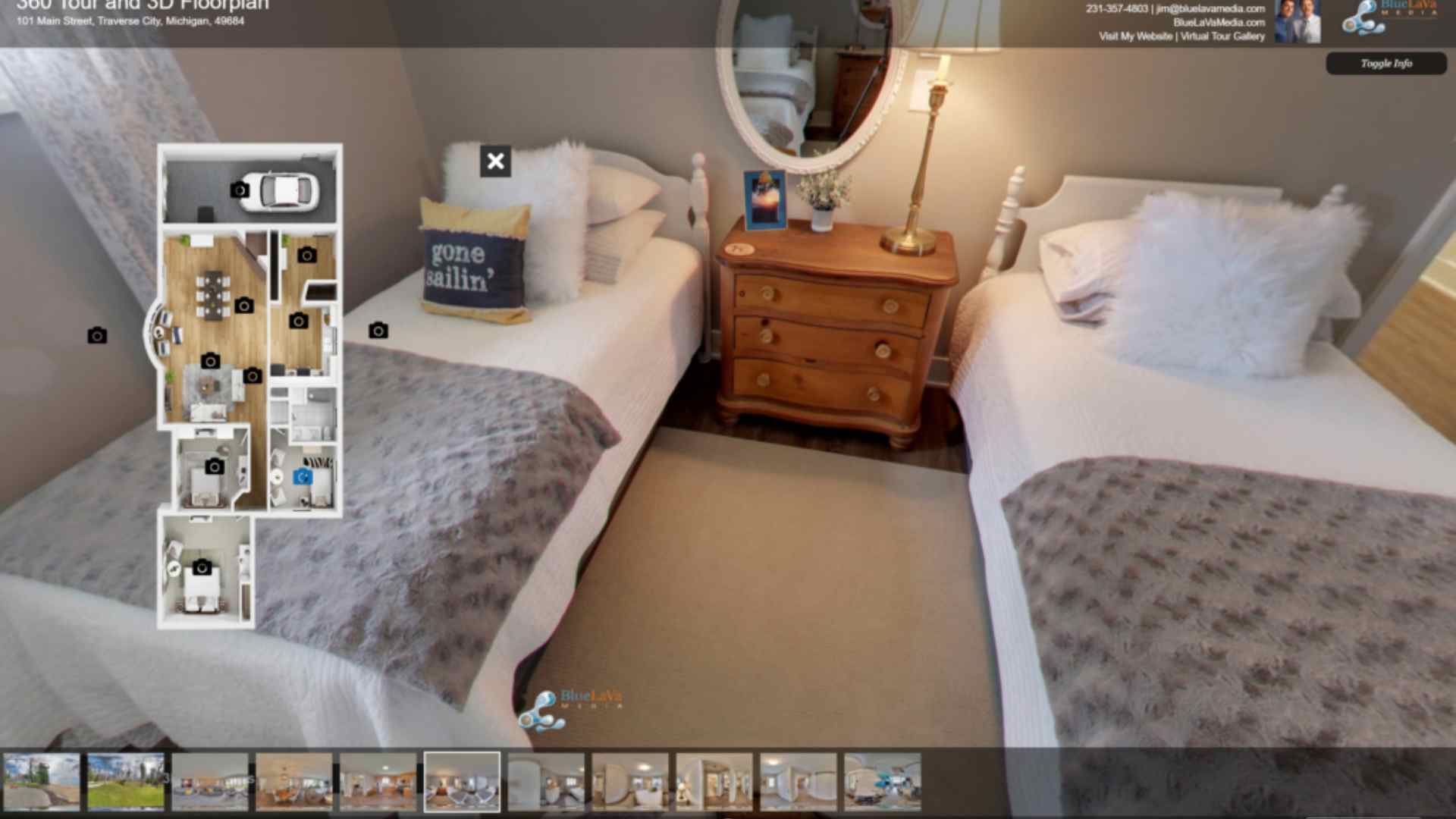





I started using Real Tour Vision’s real estate virtual tour software about a month ago. Jason and his staff were extremely helpful. Jason took the time to talk to me and email numerous times while I was deciding which company to go with. The technical staff also went above and beyond answering my endless questions and helping me to get up and running. I love this service and so do my customers. There are so many things it offers that I haven’t even tapped into yet. They really thought of everything. I am very happy with my total experience so far and look forward to working with Real Tour Vision for a long time to come. Thank you, Christine Caso

After hours/days/weeks of research on a business that could help me with my new business venture, I found RTV to stand out from all of their competition. I compared RTV with 2 other popular companies that help you with virtual tours. RTV was a no-brainer to go with. They offered so much more than anyone else. When I contacted Jason at RTV, he returned my calls promptly and answered all my questions very honestly. Now that I've made the decision to move forward with RTV, they've treated me like family. There has been a lot of time, thought and work put into RTV over the years and it shows. Their software is also user friendly and well thought out. The other competitions didn't offer half of what RTV does. I'm pretty happy that I made the choice to partner with RTV.

I love the new platform! This team led by Jason has done an awesome job creating, what I feel is the best product on the web.
Video clips and stills look fantastic and play flawlessly.
Their support team is ALWAYS responsive courteous and helpful.
I've been with RTV for a number of years now and they have always managed to keep up with the rapid changes in technology to provide an outstanding product.
I cannot imagine ever using anyone else for my virtual tours or videos

Jason and his team from Real Tour Vision seamlessly helped present our listings beautifully to potential customers. The program is easy to use and training videos are available at any time. They were very helpful during the process and were exceptionally responsive when we had questions. We recommend using Real Tour Vision for your business!

Putting My Work in the Best Light!
The staff at Real Tour Vision fully delivers the continuously improving presentation platform and the solid technical support that helps to make my Kauai property visuals even more emotionally engaging. Thanks RTV, keep it up!

Fantastic Company!
As a new business owner, choosing RTV has been a great decision. I am very pleased with all of the products they offer and most important, the awesome support they provide. When you choose RTV, you become part of their team/family and they will be there to encourage you and give you the tools to succeed. I am so happy to have found them!

"Wow, I just love you guys!! I already had the training and I was just heading out the door right now to go do my first tour! YAYYY!
I really do I love your company, where have you been all my life??
I can't believe we were using IPIX when you were right there. This is GREAT!
Thanks for checking in with a follow up!

I can't say enough good things about this company, their product, and their support team. You can't go wrong with RTV. Everyone here is super professional and committed to ensuring they stay cutting edge, relevant, and marketable. I highly recommend Real Tour Vision.

Hello RTV,
Just want to say that the RTV marketing site is blowing me away!!
The first Webinar alone is like getting a master's degree in marketing. Fantastic. Real, usable advice and "how-tos" to get anybody started!
Thanks.
Dotti

I have been a photographer partner with RTV and use their virtual tour software and platform for over 10 years now. I get requests to try out lots of new websites. I do my due diligence, but I've never left RTV and never will. They stay current with technology and I believe are the best option for real estate virtual tours. RTV meets and exceeds the needs of both the photographers and the public. Stays ahead of the curve, always a personal touch, listen to suggestions and fix any problems quickly. What more could you ask for.

Very professional and attentive to their clients and members needs. It's great that they're staying on the cutting edge of their industry as well as making their software user friendly, with today's technology and they communicate all changes ahead of time while walking you through it. Love the new edits and updates.

Real Tour Vision is a leading virtual tour software provider for real estate agents, brokers, owners and photographers. It maintains one of the largest full service virtual tour and marketing network. They also provide national photography services for motels, rental properties, vacation homes and much more. I find their software "Fusion" is easy to use and help is always available if you are caught up in using it. RTV is working on padding extra features and are hopeful of new version in a couple of weeks, I am using their services for more than 4 years and I have always found them very professional and responsive to my needs.